
 Home
Home Order Forms
The Smart Way to Organize Slides Using Household Boxes
Why Waxed Paper and Foil Boxes Are Perfect for Slide Storage
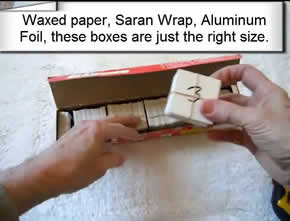
Here's a clever organization trick that costs nothing and works perfectly: use empty waxed paper boxes, aluminum foil boxes, or plastic wrap boxes to store your slides. These household boxes are exactly the right size—2 inches by 2 inches—which means your slides fit perfectly without sliding around or getting damaged.
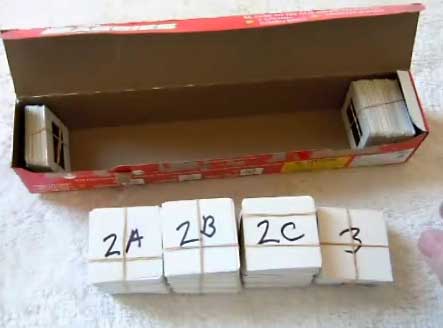
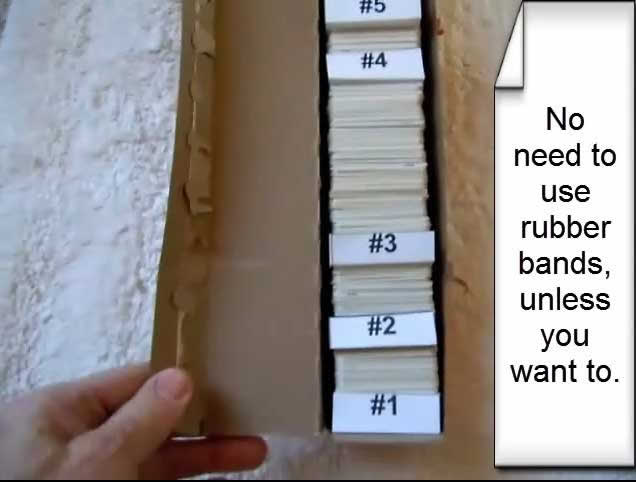
The best part? You can eliminate rubber bands entirely. Instead of bundling slides with rubber bands (which can deteriorate and damage your slides over time), simply use cardboard dividers to separate different "chapters" or "shows" in your collection.
How to Number Your Slides for Perfect Digital Organization
When we scan your slides, proper numbering ensures your digital folders stay in perfect order. Here's the system that works best:
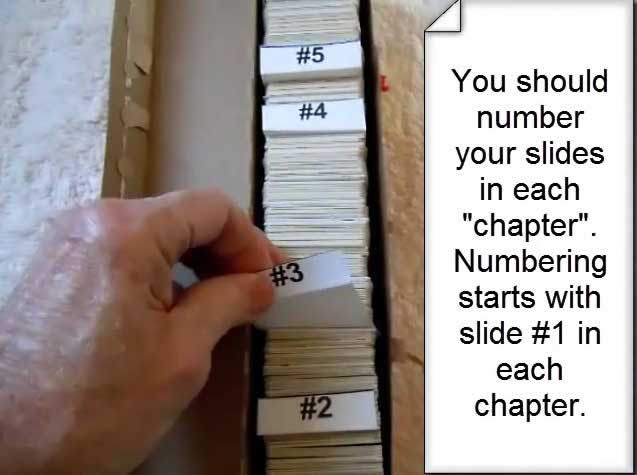
Start each chapter at #1. Don't number continuously across your entire collection. Instead, begin numbering from #1 for each separate section.
Example:
• Chapter 1 (Summer Vacation 1985): Number slides 1 through 45
• Chapter 2 (Christmas 1985): Number slides 1 through 32
• Chapter 3 (Sarah's Birthday): Number slides 1 through 28
This numbering system means your digital folders will match your physical organization perfectly. Each chapter becomes its own folder on your disk or flash drive, with images numbered in the exact order you intended.
Step-by-Step Visual Guide
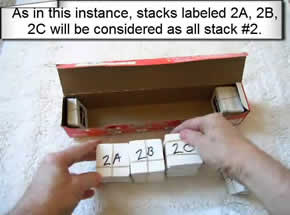
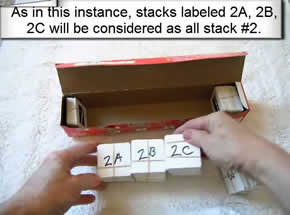
Follow these images to see exactly how to stack and organize your slides in household boxes. This method keeps everything in perfect order and makes it easy to add chapter dividers.


What Types of Boxes Work Best?
Waxed paper boxes (like Reynolds Wrap or Cut-Rite)
Aluminum foil boxes (standard kitchen foil)
Plastic wrap boxes (Saran Wrap, Glad Cling Wrap)
Parchment paper boxes
All of these are typically 2 inches by 2 inches—the exact size of slide mounts. The sturdy cardboard construction protects your slides, and the boxes stack neatly for storage or shipping.
Making Dividers: Quick and Easy
You don't need fancy materials. Simple index cards or cardstock work perfectly:
1. Cut cards to 2x2 inches (same size as slides)
2. Write the chapter number clearly on each divider
3. Optional: Add a brief description like "Summer 1985" or "Hawaii Trip"
4. Place dividers between each chapter or "show"
The dividers make it crystal clear where one group ends and the next begins. This eliminates any confusion during scanning and ensures your digital folders match your physical organization perfectly.
Why This Method Works So Well
No rubber bands deteriorating on your slides – Rubber bands can leave sticky residue or become brittle and break, potentially damaging your slides.
Perfect size fit – No wasted space, no slides rattling around.
Easy to add notes – Write chapter names or dates right on the box.
Safe for shipping – The sturdy boxes protect slides during transit to our scanning facility.
Cost: Zero – You're repurposing boxes you already have at home.
Stackable storage – Organized boxes take up minimal space and stack neatly.
Ready to Get Your Organized Slides Scanned?
Once you've got your slides beautifully organized in boxes with numbered dividers, you're ready to send them to us for professional scanning. We'll respect your organization system and create digital folders that match your physical chapters exactly.
Every slide receives professional Photoshop editing. We don't just scan—we enhance each image to bring out the best possible quality. At 4,000 ppi resolution, you'll see details you never noticed in the original slides.
More Slide Preparation Resources
Want to see more ways to organize your slides? We have comprehensive guides and video tutorials:
• Complete Slide Preparation Guide
• How to Prepare Carousel Trays
• Bottom-Up Stacking Method
• Slide Orientation Tips
Questions About Slide Organization?
Not sure if your slides are ready? Confused about numbering? We're here to help.
Call us at 1-800-844-1393 or send us an email. We've been helping people organize and scan slides since 2002, and we're happy to answer your specific questions.