
 Home
Home Order Forms
Slide Scanning Comparison — Page 2
Choose your scanning service carefully. We paid Legacy Box to scan the same slides we scanned ourselves, then placed the results side by side. Nothing has been altered after delivery — what you see is exactly what each service returned.
This page includes five comparisons: a Mexico street scene where Legacy Box misses a person at the left edge, two mountain subjects, a cliff dwellings slide with a striking magenta color problem and lost smoke detail, and a winter house. This is page 2 of 5.
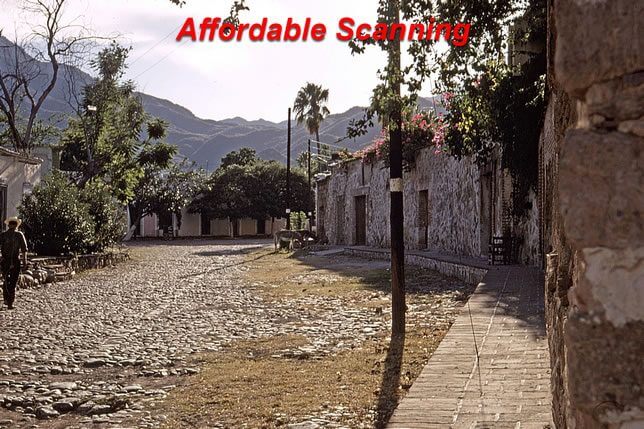
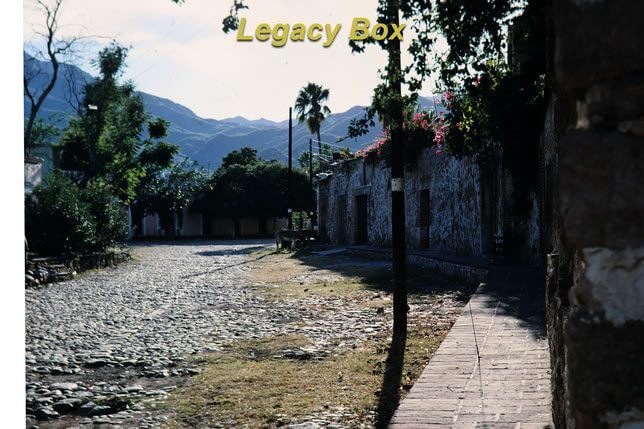
Comparison 1: Mexico Street Scene — Cropping and Shadow Detail
This slide shows a busy street scene in Mexico with colorful storefronts, people, and strong directional light that creates both bright sunlit surfaces and deep shadows. It is a demanding image because the tonal range is wide and there is significant subject matter at the very edges of the frame.
Look carefully at the far left edge of each image. In our scan (left), a man walking along the street is fully visible at the left margin — he is part of the scene the photographer intended to capture. In the Legacy Box scan (right), the left edge of the frame is cropped or underexposed enough that this figure disappears entirely. When a service crops or loses content at the frame edge, there is no way to recover that information from the delivered file. The original slide has that content — we captured it; Legacy Box did not. Beyond the cropping issue, our scan shows the shadow areas under awnings with readable detail while the Legacy Box version compresses those shadows toward black.
Comparison 2: Mountains — Haze, Color, and Sky Detail
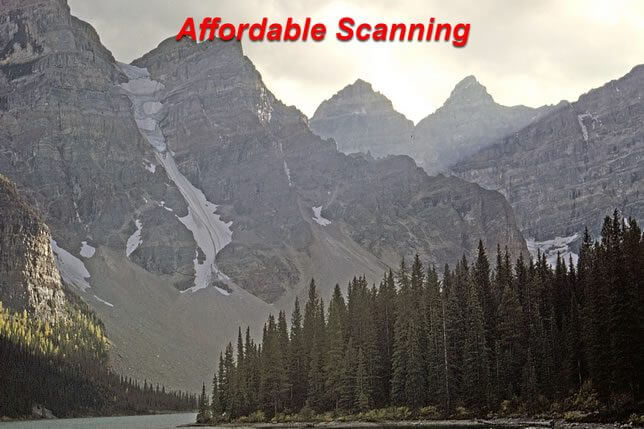
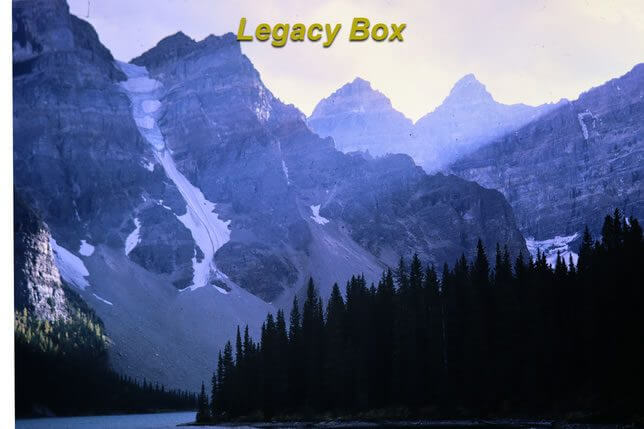
Mountain landscapes are one of the most common subjects in 35mm slide collections from the 1960s through the 1980s. They present a characteristic scanning challenge: the sky is often much brighter than the mountains below, and the distant peaks frequently show atmospheric haze that gives them a soft blue-gray appearance. A correct scan preserves the gradient from bright sky to hazy mid-distance peaks to the darker foreground, with natural color throughout.
Our scan (left) shows the full tonal range from the sky down through the mountain layers, with the atmospheric haze rendering as a genuine cool blue-gray that conveys depth and distance. The Legacy Box scan (right) has the flatter, slightly washed-out quality typical of a batch scan that has not been individually corrected — the haze layers lose their distinctiveness, the sky is less differentiated from the peaks, and the overall image feels less three-dimensional.
Comparison 3: Cliff Dwellings — Magenta Cast and Lost Smoke Detail
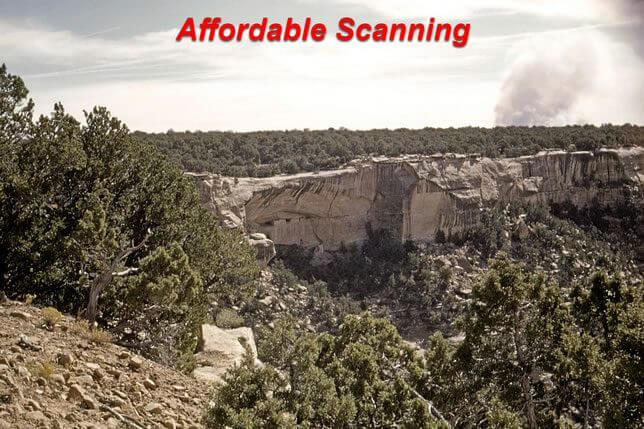
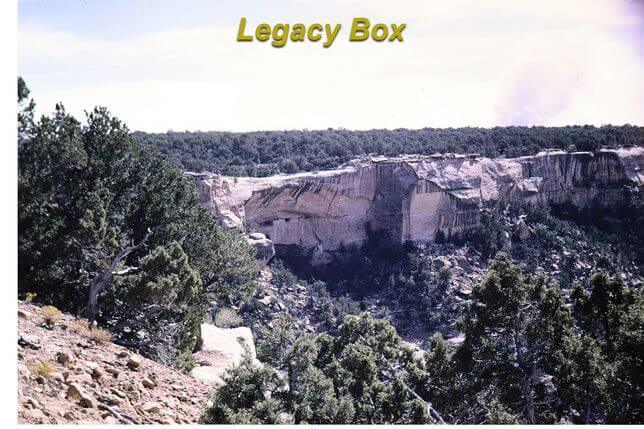
This is one of the most dramatic comparisons in our entire series. The slide shows ancient cliff dwellings — stone structures built into the face of a rock cliff — with what appears to be smoke or atmospheric haze drifting across the scene. It is a historically significant subject and an image where color accuracy matters enormously. The warm earth tones of the stone, the color of the sky, and the delicate semi-transparent quality of the smoke are all specific and important.
The Legacy Box scan (right) has a severe magenta color cast that shifts the entire image away from the natural warm stone tones toward an unnatural pink-purple. More significantly, the smoke or haze that drifts across the scene is almost entirely lost — the Legacy Box scan renders it as nearly the same tone as the background cliff, making it invisible. In our scan (left), the smoke is clearly visible as a lighter, semi-transparent layer in front of the darker cliff face. This is not a subtle difference. The smoke is a major compositional element of the photograph, and it simply does not appear in the Legacy Box version. This is what uncorrected batch scanning does to an image that requires individual attention.
Comparison 4: Mountain Top — Contrast and Color in Snow and Rock
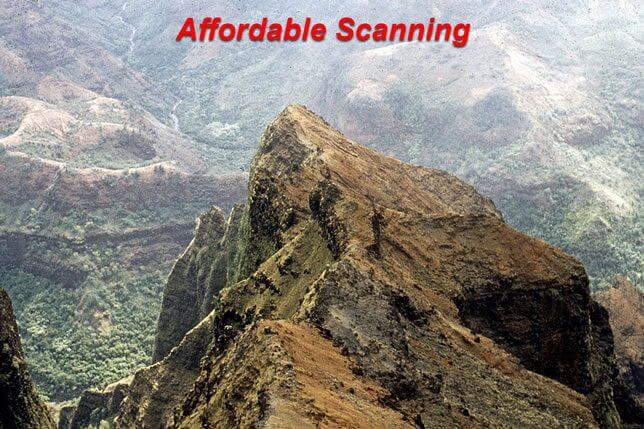
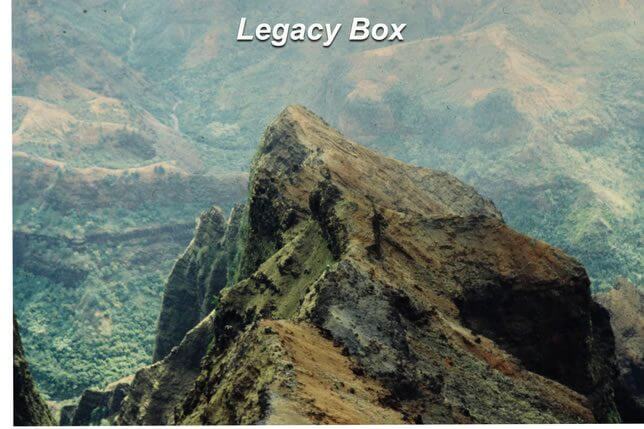
A mountain top scene typically combines two very different tonal zones: bright snow or bare rock near the summit in direct sunlight, and darker terrain in the mid-ground and foreground. The challenge for scanning is maintaining the bright highlight detail in the snow while keeping the darker areas readable. Without individual correction, a batch scanner typically either clips the bright areas to featureless white or underexposes the darks to preserve the highlights.
Our scan (left) shows the mountain top with genuine texture in the snow and rock surfaces, differentiated color between the warm sunlit faces and the cool shadowed faces, and a sky that reads as a natural blue rather than a washed-out pale. The Legacy Box scan (right) has a flatter contrast throughout — the snow lacks the texture that indicates depth and surface variation, and the overall color palette is slightly muted in the way typical of batch processing without individual review.
Comparison 5: Winter House — Color in Snow Scenes
Winter scenes are notoriously difficult to scan and print correctly because the large areas of white snow dominate the exposure reading. Automatic scanners tend to underexpose winter scenes to prevent the snow from blowing out, which leaves the whole image too dark and gives the snow a gray or blue-gray cast instead of the clean white it should be. Individual correction looks at the scene and adjusts to make the snow actually white while keeping the house, trees, and other elements in their correct tones.
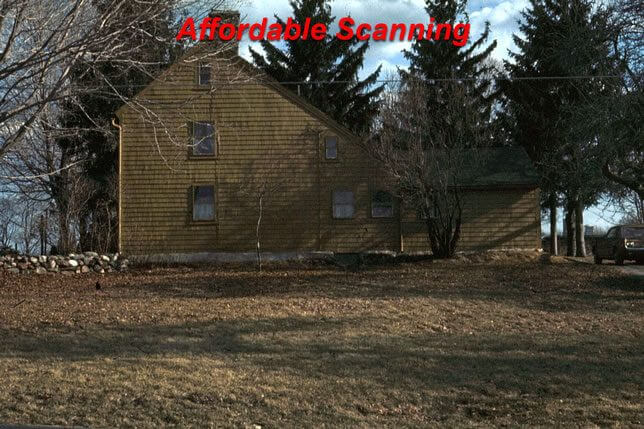
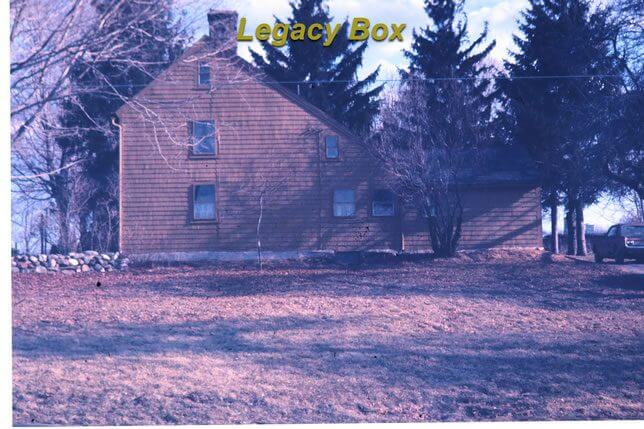
Our scan (left) shows the house in its warm natural tones against genuinely white snow, with the tree branches and other details reading clearly against both the snow and the sky. The Legacy Box scan (right) has the characteristic undercorrected winter look — the snow is slightly gray or cool-tinted rather than white, the house color is suppressed, and the overall image has a cold, flat quality that does not reflect what the photographer saw when they took the picture.
Legacybox™ is a trademark owned by AMB Media. We are not affiliated with this company. This page provides independent consumer information about scanning quality.