Home
Home Order Forms
Slide Scanning Comparison — Page 5
This is the fifth page of our test showing the same slides scanned by different services. Advertising budgets and big “factory” floors don’t guarantee good results — careful scanning and expert editing do.
Every comparison on this page uses the exact same original slide, scanned by two different services. The left image is always our scan. The right image is from Legacy Box or Walgreens. Nothing has been done to either image after the fact — what you see is exactly what each service delivered.
Look specifically at three things in each comparison: color accuracy (does the image look the way the scene actually appeared?), shadow detail (can you see into the dark areas, or are they crushed to black?), and cropping (is the full slide frame captured, or is part of the image cut off?).
Comparison 1: Stained Glass Window
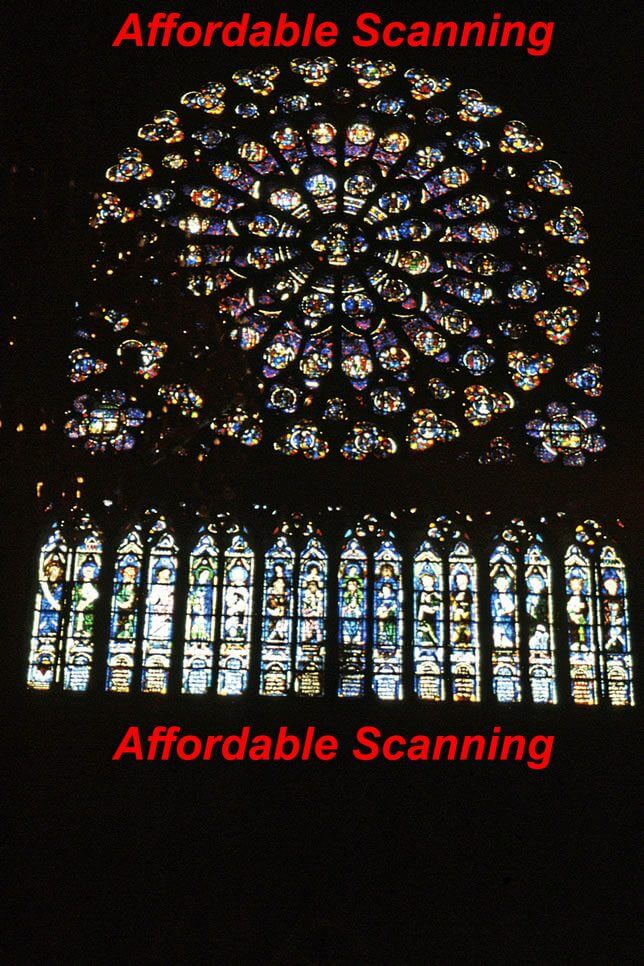
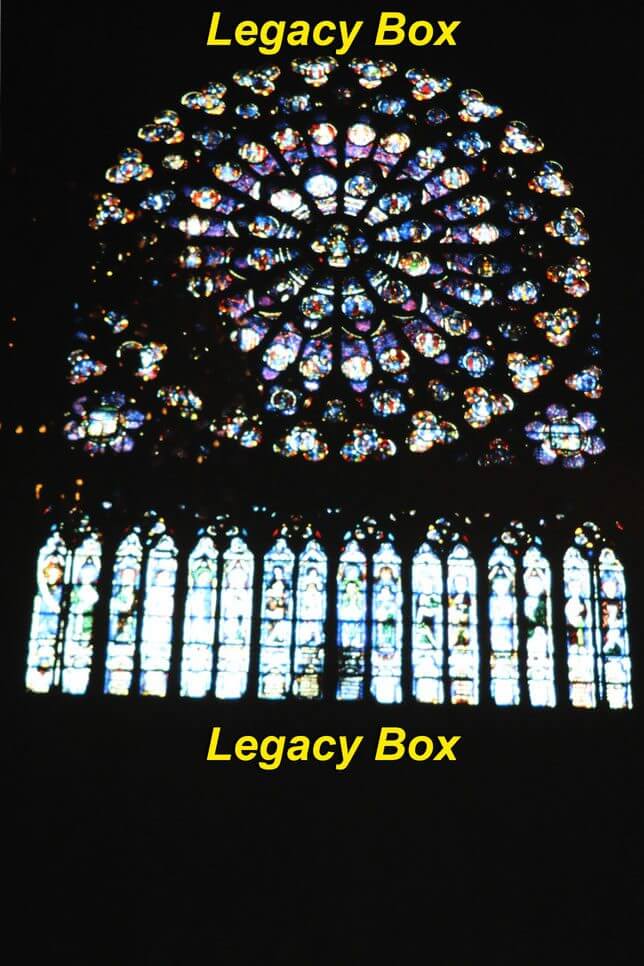
Stained glass is one of the most demanding subjects for slide scanning because it requires the scanner and editing to simultaneously handle very bright transmitted light through the colored glass and the dark leading between panes. A batch scan with no individual correction typically blows out the bright colors or crushes the dark areas — often both at once.
In our scan (left), the deep reds, blues, and golds of the glass are vivid and distinct. The leading between panes shows as a rich dark line with texture. The Legacy Box scan (right) shows muted, washed-out color across all the glass panels with significantly reduced contrast between the colors. The leading is lighter and less defined, making the overall image look flat and faded.
Comparison 2: Gray Building
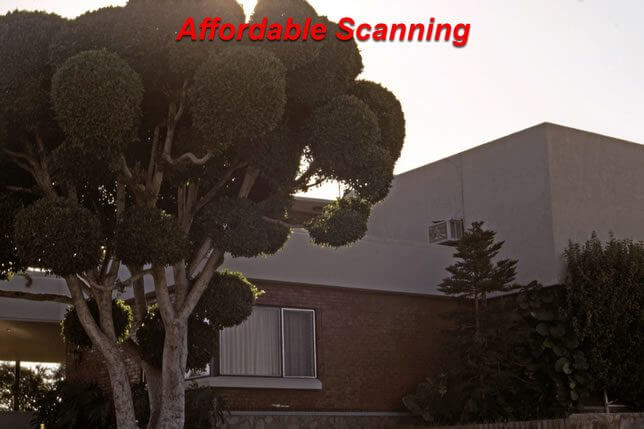
This slide shows a gray building — a subject that looks straightforward but is surprisingly difficult to scan well. The challenge is that automatic batch scanners tend to expose for the brightest part of the frame, leaving shadow areas dark and underexposed. Without individual Photoshop correction, the building looks underlit and the architectural details in shadow areas disappear.
Our scan (left) has opened the shadow areas so you can see the texture of the building facade, window frames, and surrounding details. The overall exposure looks natural and balanced. The Legacy Box scan (right) is visibly darker throughout, with shadow areas pushed toward black and detail lost in the darker parts of the building. The image has a heavy, underexposed quality that is typical of batch processing without individual review.


Comparison 3: Grand Canyon — 127 Format Slide
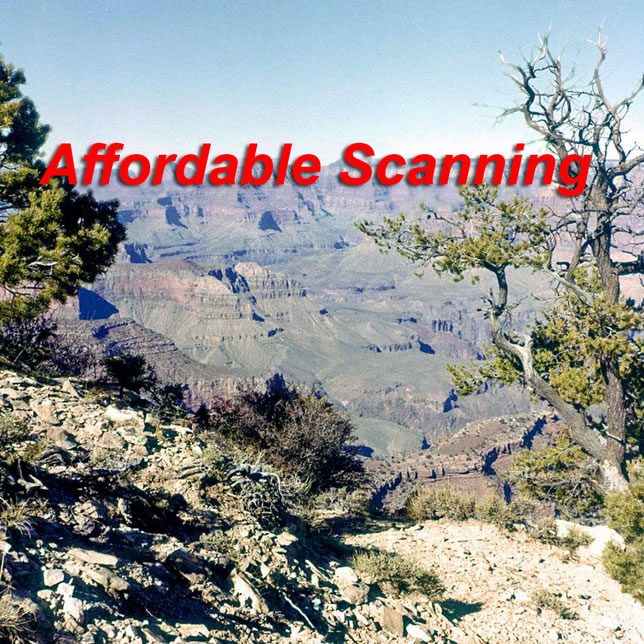
This comparison is particularly important because it involves a 127 format slide — a larger format than standard 35mm that produces a nearly square image filling nearly the entire 2″×2″ mount. This is a format that catches many scanning services off guard. Walgreens and other mass-market services are set up specifically for 35mm slides. When they receive a 127 slide, their equipment often crops into the image frame because the film area extends closer to the mount edges than on 35mm.
In our scan (left), the full Grand Canyon panorama is captured with correct color — the warm red rock, the blue sky, the deep canyon shadows all look as the original scene appeared. The Walgreens scan (right) shows two problems: a noticeable color cast that pushes the warm tones toward orange-red and away from the natural variation of the canyon, and cropping at the edges where the 127 format film area was not fully captured by equipment designed for 35mm. This is exactly the kind of result that happens when a specialized format is processed as if it were standard 35mm.

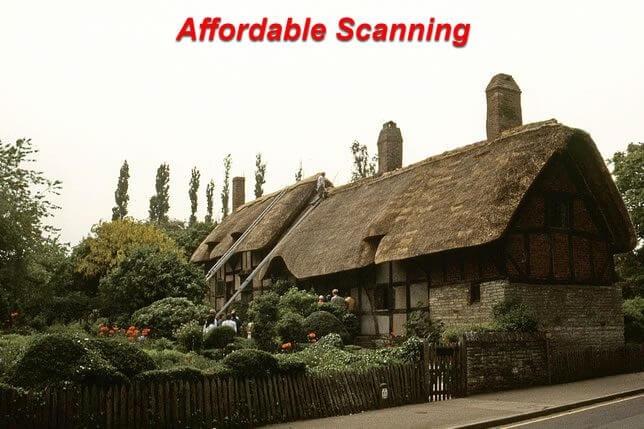
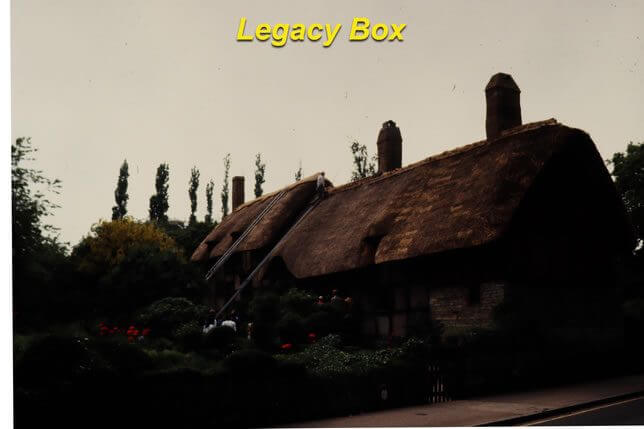
Comparison 4: Old English House
This slide shows an old English house — the kind of image with a complex mix of warm stone, cool shadows, green foliage, and overcast sky that requires careful color work to render correctly. The original slide has some age-related fading that shifts the colors, and individual Photoshop correction is needed to restore the original balance.
Our scan (left) shows the house in natural stone color with green foliage that looks genuinely green, shadows that are open enough to see the architectural detail, and an overcast sky that reads as neutral rather than color-cast. The Legacy Box scan (right) has noticeably weaker contrast throughout — the image looks flat and the colors lack the differentiation needed to separate the stone, foliage, and sky. The result is a uniformly gray-green cast that obscures the warmth of the stone and the depth of the shadow areas.
Comparison 5: Ball Tree House
This final comparison on page 5 shows a tree house with a large decorative ball — a subject with significant color complexity including natural wood tones, green foliage, bright sky, and the strong color of the ball itself. It is the kind of image where a persistent color cast is immediately obvious because any shift affects the ball color directly.
Our scan (left) shows the ball in its correct color, the wood of the tree house in natural warm tones, and the foliage in differentiated greens with shadow detail. The Legacy Box scan (right) has a persistent color cast across the entire image that shifts the ball color noticeably, flattens the wood tones, and reduces the depth of the foliage. The image also lacks the shadow detail visible in our version, making the tree house structure harder to read against the darker background areas.
What these five comparisons show consistently is that batch scanning with no individual image review produces results that are technically scanned but not properly corrected. Color casts, crushed shadows, lost detail, and format-specific errors like the 127 cropping are all consequences of processing slides as if they were identical rather than treating each one individually. We look at every scan and correct every image. That is the difference you see in these comparisons.